Your peripherals, your operating system Seus periféricos, no seu sistema
Configure gaming mice and keyboards on Linux, Windows and macOS — RGB lighting, DPI, polling rate and key remapping, written straight to the device over raw HID. No vendor software, no background service, no account. Configure mouses e teclados gamer no Linux, Windows e macOS — iluminação RGB, DPI, taxa de polling e remapeamento de teclas, gravados direto no aparelho por HID. Sem programa do fabricante, sem serviço em segundo plano, sem conta.
Free and open source, GPL-3.0. Livre e de código aberto, GPL-3.0.
DownloadsDownloads
Everything below is built and published automatically by GitHub Actions from the tagged source. Tudo abaixo é compilado e publicado automaticamente pelo GitHub Actions a partir do código com tag.
Linux testedtestado
The .deb and .rpm install the udev rule for you — just replug the device. O .deb e o .rpm já instalam a regra udev — basta reconectar o aparelho.
Windows untestedsem teste
Unsigned: SmartScreen asks — More info → Run anyway. Sem assinatura: o SmartScreen pergunta — Mais informações → Executar assim mesmo.
macOS untestedsem teste
Not notarized: first launch needs right-click → Open. Sem notarização: a primeira abertura precisa de clique direito → Abrir.
Installed once, HIDra keeps itself current: it checks for new releases on startup and installs them for you — through the system package manager on a .deb or .rpm, in place everywhere else. Every download is signature-checked against the project's release key.
Instalado uma vez, o HIDra se mantém atualizado: ele procura novas versões ao abrir e instala para você — pelo gerenciador de pacotes do sistema no .deb ou .rpm, e no próprio lugar nos outros sistemas. Todo download tem a assinatura conferida com a chave de release do projeto.
Want the current state of the code instead? Every push to main rebuilds all three installers as the rolling nightly pre-release.
Quer o estado atual do código? Todo push na main recompila os três instaladores na pré-release nightly.
Windows and macOS builds are experimental. They compile and package in CI, but nobody has run them against real hardware yet. If you own one of the supported devices, trying them and reporting what happens is the single most useful thing you can do for this project. As versões de Windows e macOS são experimentais. Elas compilam e empacotam no CI, mas ninguém as rodou contra hardware real ainda. Se você tem um dos aparelhos compatíveis, testar e contar o que aconteceu é a coisa mais útil que você pode fazer pelo projeto.
What it doesO que ele faz
MiceMouses
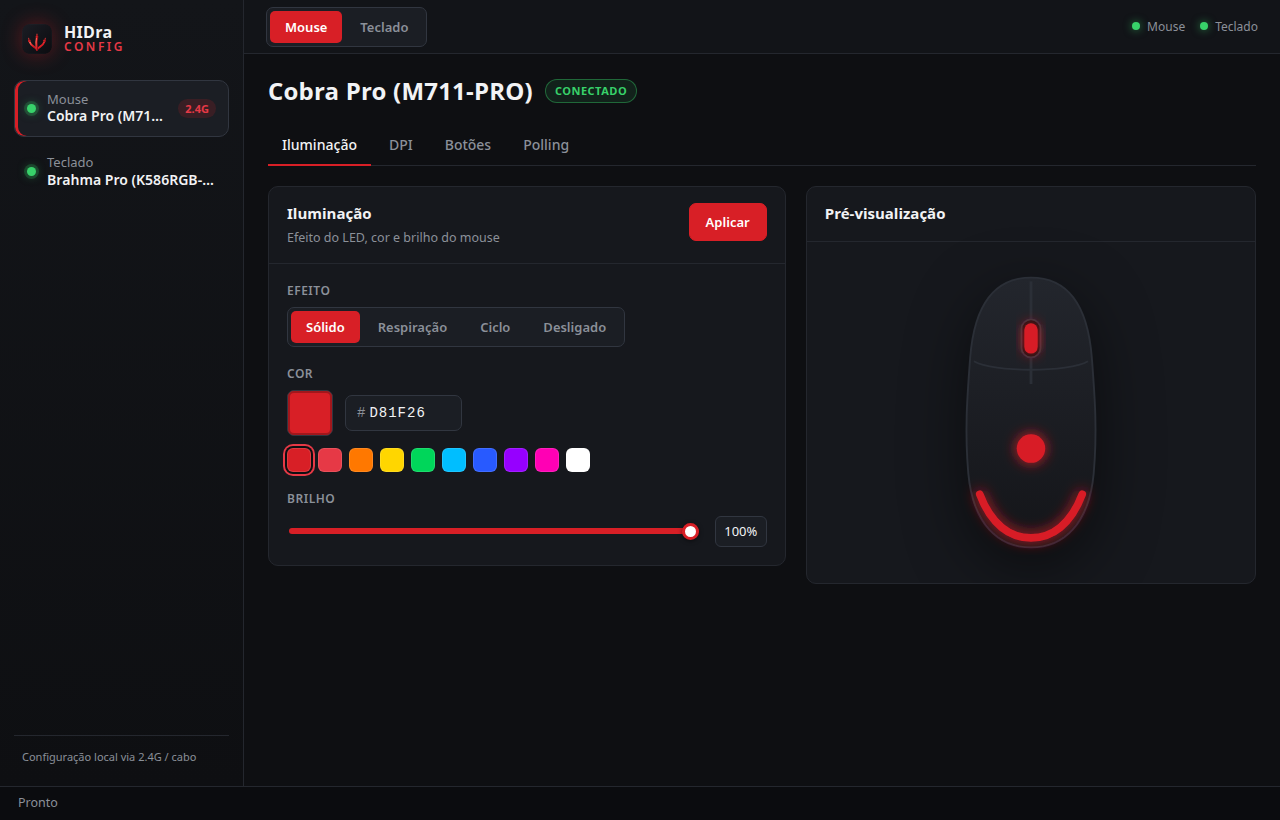
- Lighting: steady, breathing, cycle, off — colour, brightness, speed
- Iluminação: sólido, respiração, ciclo, desligado — cor, brilho, velocidade
- 5 DPI stages with independent X/Y and a colour each
- 5 estágios de DPI com X/Y independentes e uma cor cada
- Remap all 8 buttons: clicks, DPI, a key, a combo, media, fire
- Remapear os 8 botões: cliques, DPI, tecla, combo, multimídia, disparo
- Polling rate: 125 / 250 / 500 / 1000 Hz
- Taxa de polling: 125 / 250 / 500 / 1000 Hz
KeyboardsTeclados
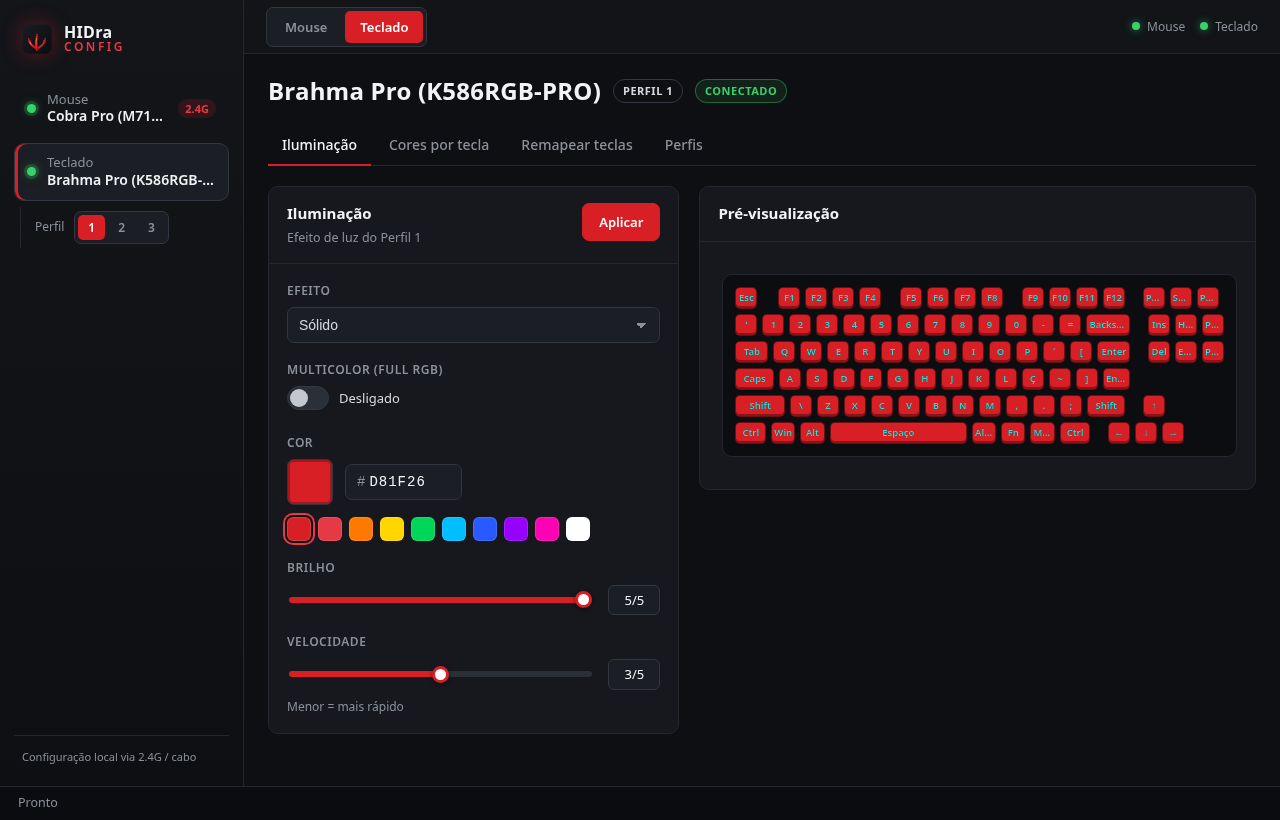
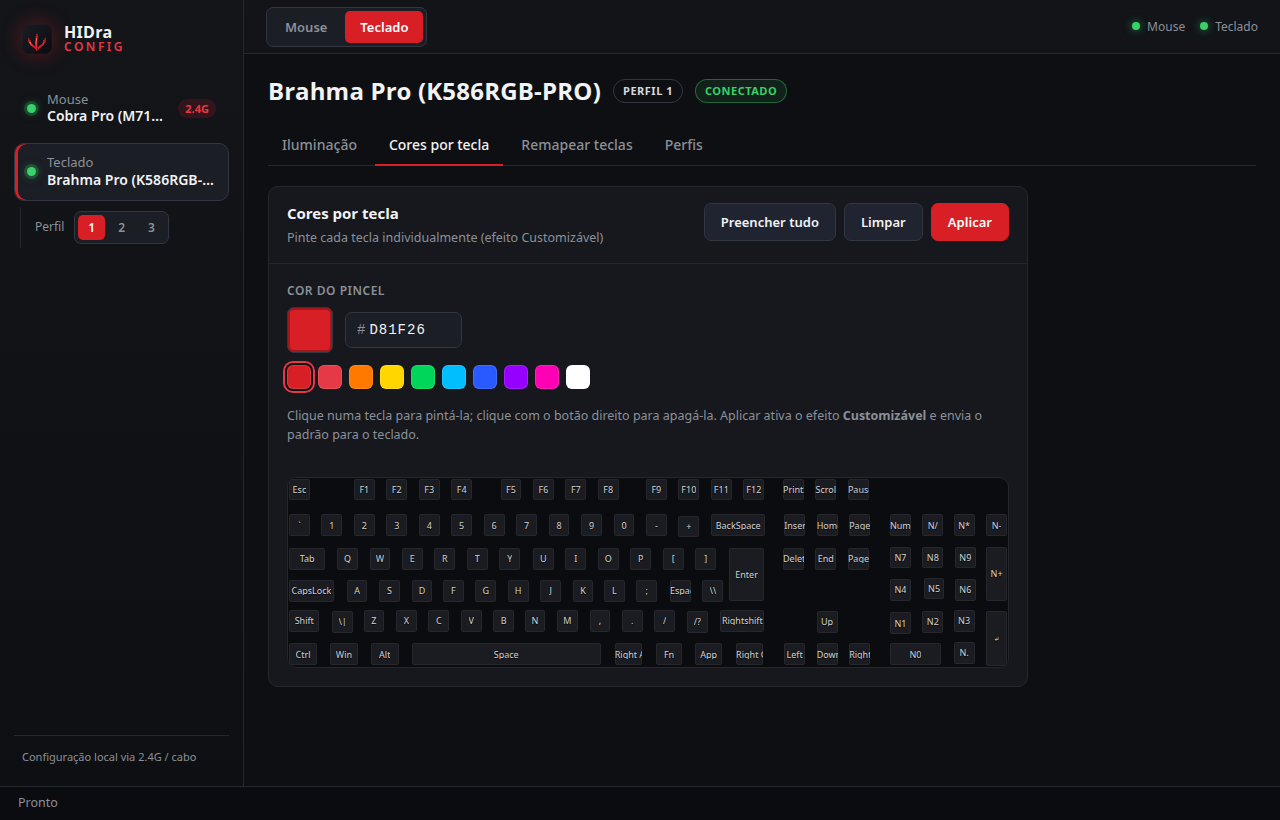
- 18 lighting effects plus per-key custom colours
- 18 efeitos de iluminação e cores personalizadas por tecla
- Brightness, speed, direction and full-RGB mode
- Brilho, velocidade, direção e modo multicolor (Full RGB)
- 3 onboard profiles, switched from the app
- 3 perfis gravados no teclado, trocados pelo app
- Key remapping, and restore the factory keymap
- Remapeamento de teclas e restauração do mapa de fábrica
Everything is stored on the device itself, so it keeps working after you close the app, reboot, or plug the device into another machine. Tudo fica gravado no próprio aparelho: continua valendo depois de fechar o app, reiniciar ou levar o periférico para outra máquina.
ScreenshotsTelas
Supported devicesDispositivos compatíveis
| DeviceDispositivo | USB idID USB | StatusSituação |
|---|---|---|
| Redragon Cobra Pro (M711-PRO) — 2.4 GHz receiver— receptor 2.4 GHz | 25A7:FA07 |
verifiedvalidado |
| Redragon Cobra Pro (M711-PRO) — cable— cabo | 25A7:FA08 |
verifiedvalidado |
| Redragon Brahma Pro (K586RGB-PRO) | 0C45:5004 |
verifiedvalidado |
Your device is not listed? HIDra is not a Redragon project — any brand belongs in that table, and peripherals are often the same board sold under several names, speaking a protocol HIDra already knows. python3 scripts/probe-device.py works out the numbers and prints the entry to paste; the step-by-step guide covers the rest. If you would rather not touch code, open a device request with the output of python3 scripts/probe-device.py --issue.
Seu aparelho não está na lista? O HIDra não é um projeto Redragon — qualquer marca cabe nessa tabela, e periféricos costumam ser a mesma placa vendida com nomes diferentes, falando um protocolo que o HIDra já conhece. O python3 scripts/probe-device.py descobre os números e imprime a entrada para colar; o guia passo a passo cobre o resto. Se preferir não mexer em código, abra um pedido de dispositivo com a saída de python3 scripts/probe-device.py --issue.
Redragon software for Linux and macOSPrograma da Redragon no Linux e no macOS
Is there official Redragon software for Linux?Existe programa oficial da Redragon para Linux?
No. The tools for the Cobra Pro (M711-PRO) and the Brahma Pro (K586RGB-PRO) are Windows-only, one download per product. HIDra speaks the same USB protocol those tools speak, so the same settings work from Linux and macOS too. Não. Os programas do Cobra Pro (M711-PRO) e do Brahma Pro (K586RGB-PRO) só existem para Windows, um download por produto. O HIDra fala o mesmo protocolo USB desses programas, então os mesmos ajustes funcionam também no Linux e no macOS.
Do I need a driver?Preciso de driver?
No. Your mouse and keyboard already work as plain HID devices; HIDra only writes to the vendor configuration channel. On Linux it installs one udev rule so your user can reach that channel without root. Não. Seu mouse e teclado já funcionam como dispositivos HID comuns; o HIDra só escreve no canal de configuração do fabricante. No Linux ele instala uma regra udev para o seu usuário acessar esse canal sem root.
Do the settings survive a reboot?Os ajustes sobrevivem a reiniciar?
Yes. Lighting, DPI, profiles and remaps are stored in the device's own memory, so they hold after you close HIDra, reboot, or move the device to a computer that has never heard of it. Sim. Iluminação, DPI, perfis e remapeamentos ficam na memória do próprio aparelho, então valem depois de fechar o HIDra, reiniciar ou levar o periférico para um computador que nunca ouviu falar dele.
Can it break my device?Pode danificar meu aparelho?
HIDra writes only to configuration registers — the same ones the vendor tool writes. It never touches firmware, and every panel has a restore-defaults button. O HIDra escreve apenas em registradores de configuração — os mesmos que o programa oficial escreve. Ele nunca mexe no firmware, e todo painel tem um botão de restaurar o padrão.
How it worksComo funciona
HIDra is a Tauri app: a Rust backend that owns every byte sent to the hardware, and a small React interface. It opens the device's vendor HID collection and writes the same packets the official tool writes — no kernel module, no daemon, nothing running when the window is closed. O HIDra é um app Tauri: backend em Rust que controla cada byte enviado ao hardware e uma interface React enxuta. Ele abre a coleção HID do fabricante e escreve os mesmos pacotes que o programa oficial escreve — sem módulo de kernel, sem serviço, sem nada rodando com a janela fechada.
The keyboard protocol was reverse-engineered by capturing the vendor tool's USB traffic, and every byte of it is written down in the repository so nobody has to do that work twice. O protocolo do teclado foi obtido capturando o tráfego USB do programa oficial, e cada byte está documentado no repositório para ninguém precisar refazer esse trabalho.